logo

Exchanges

Introduction

Check Payback

Guide

Loading...

How to Sign Up for the Exchange?

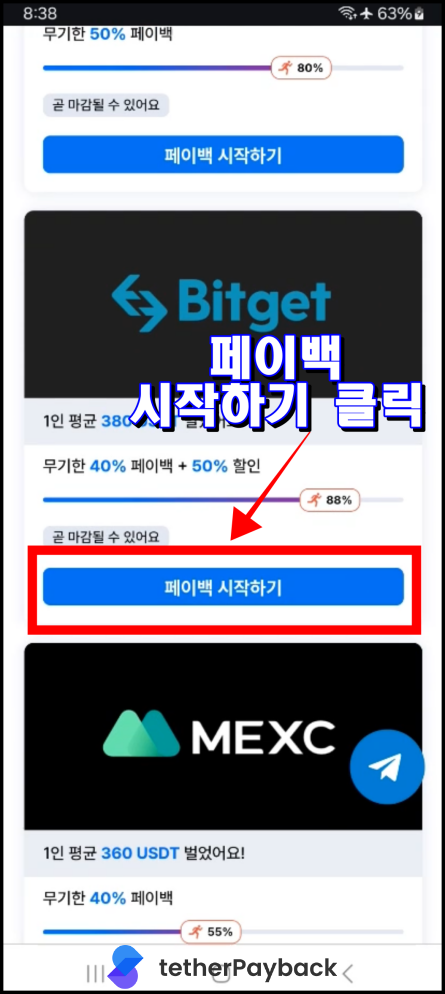
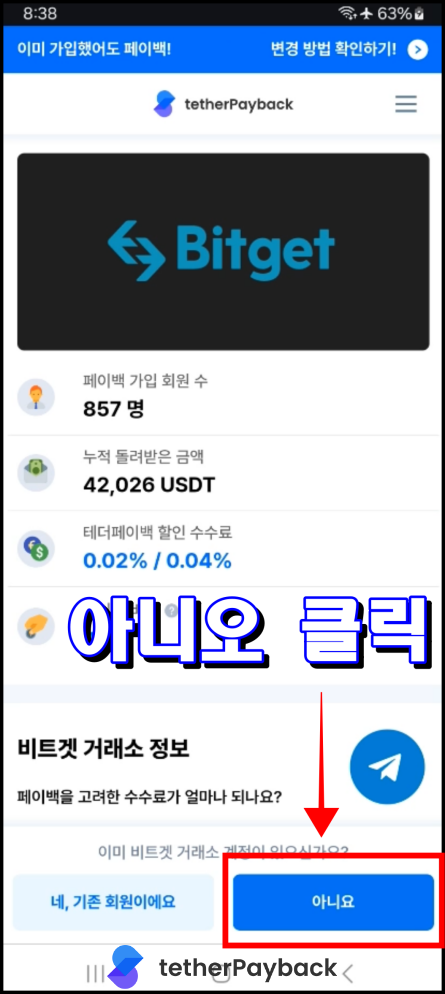
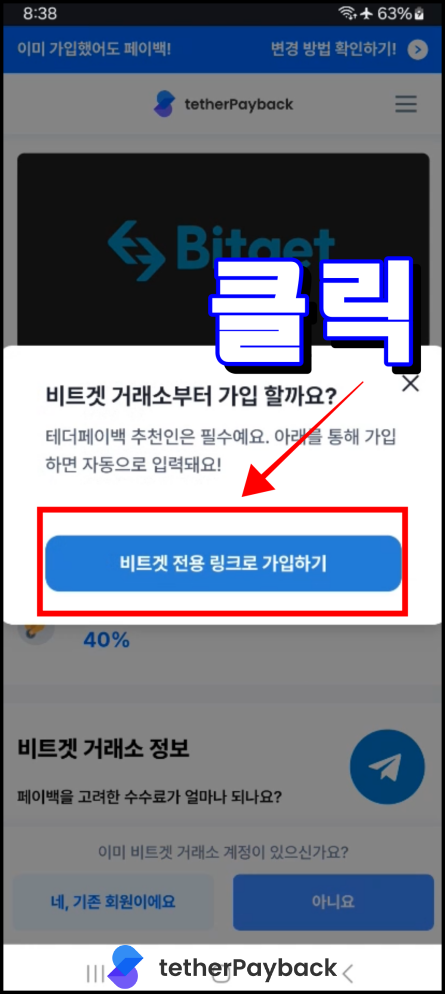
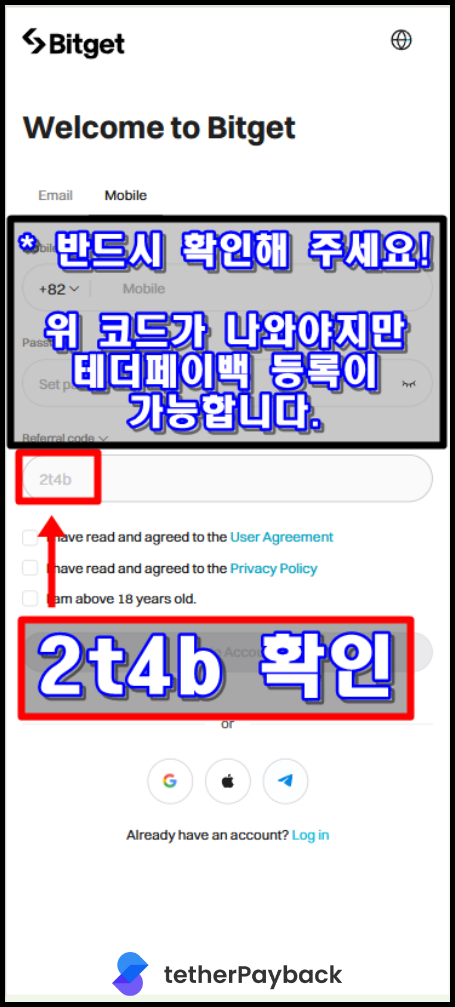
Guide to Bitget Registration

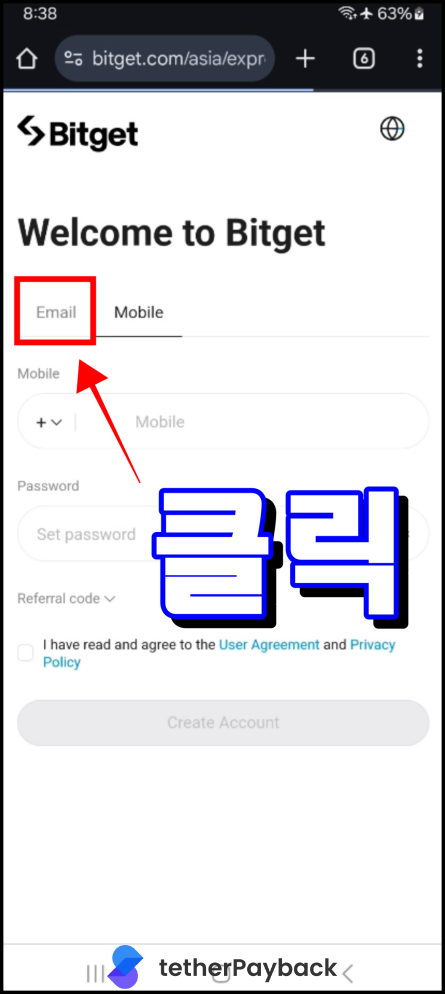
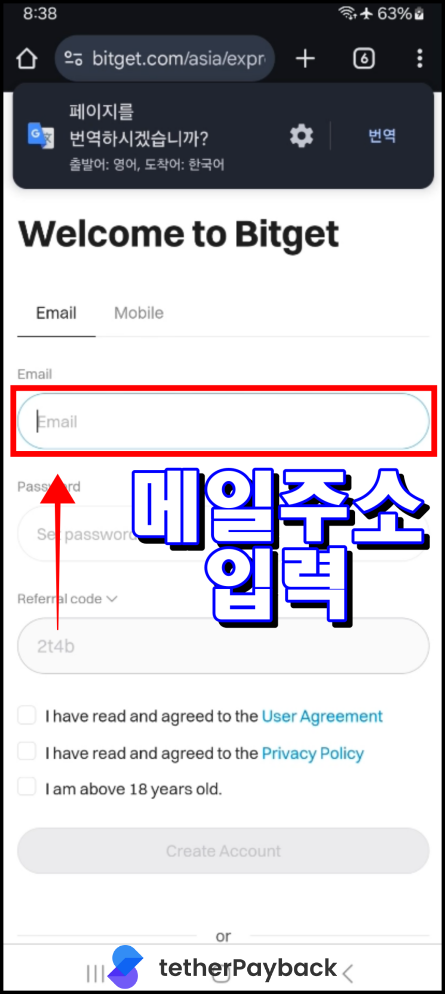
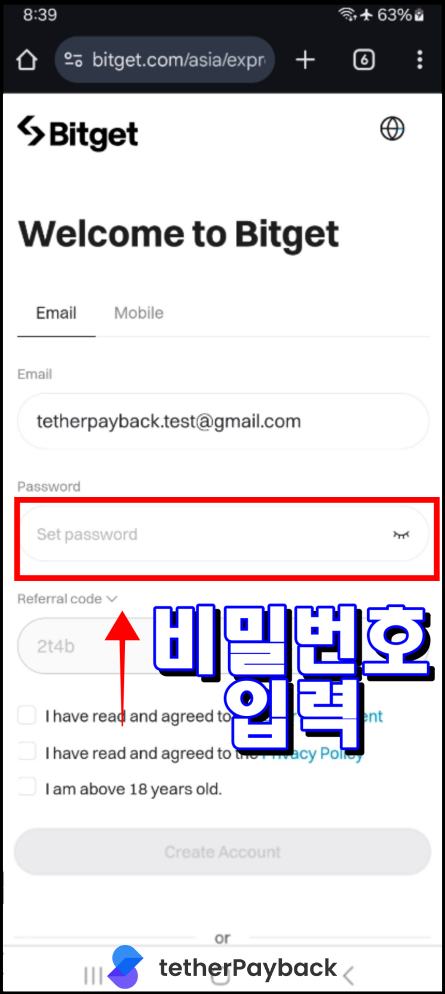
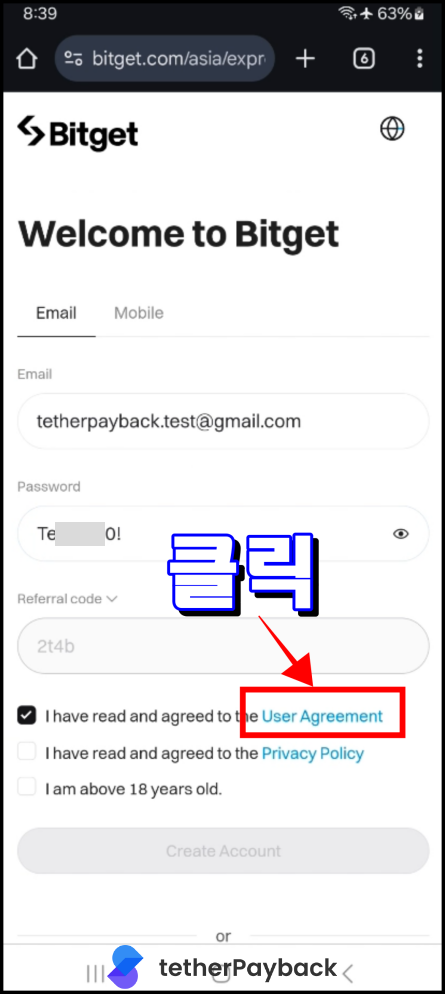
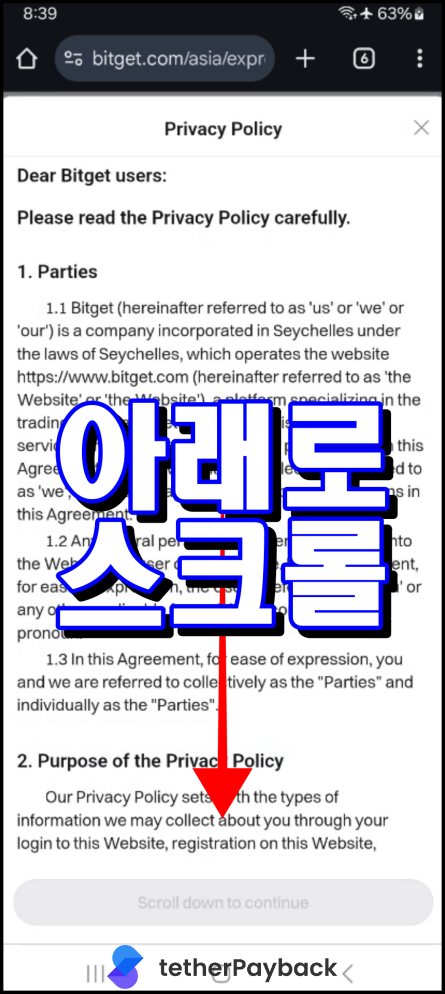
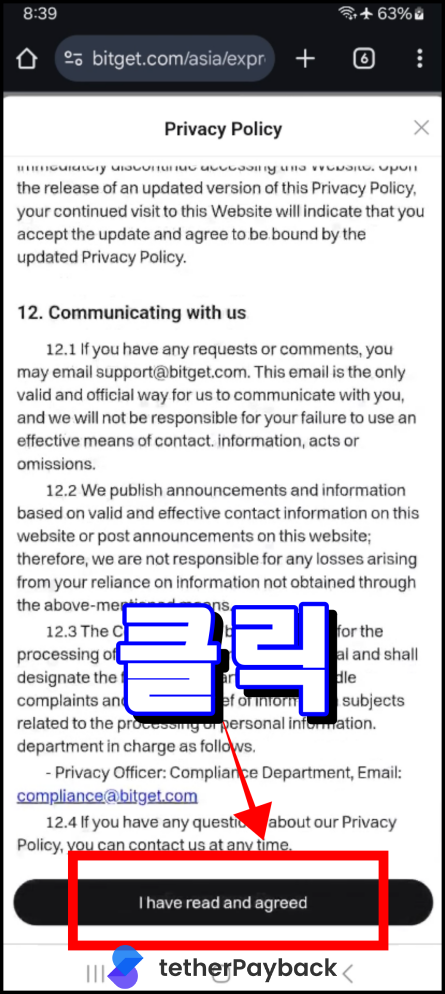
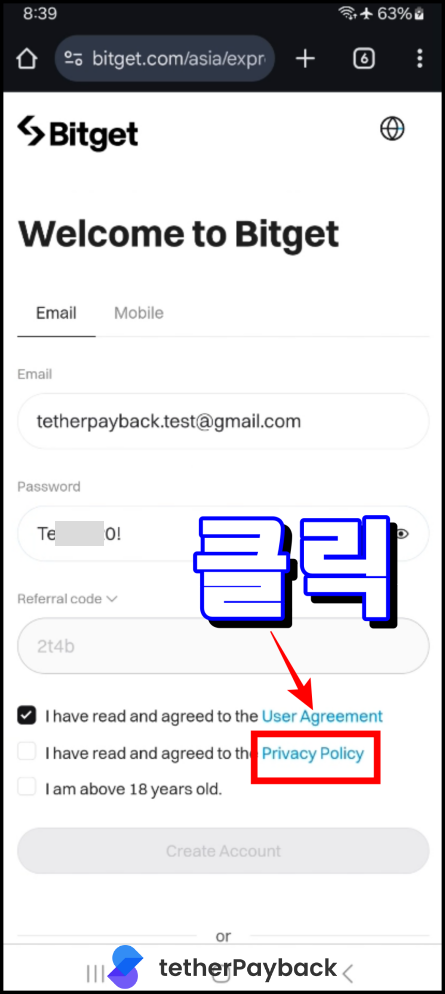
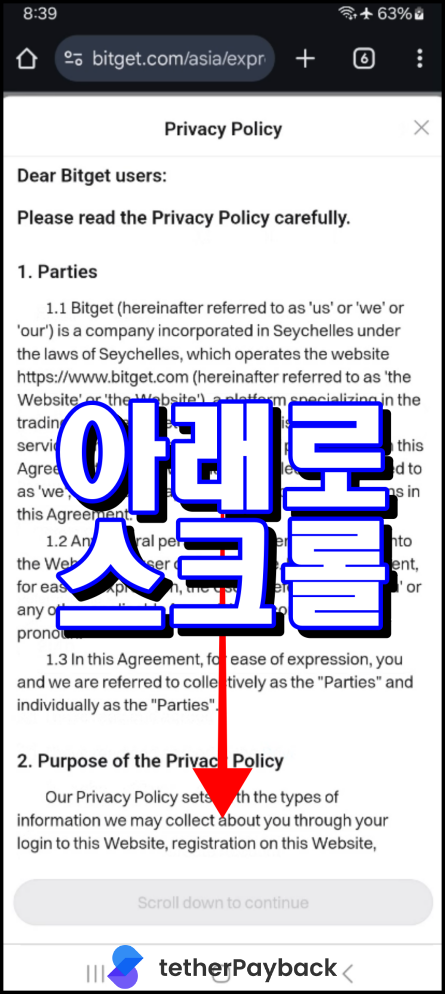
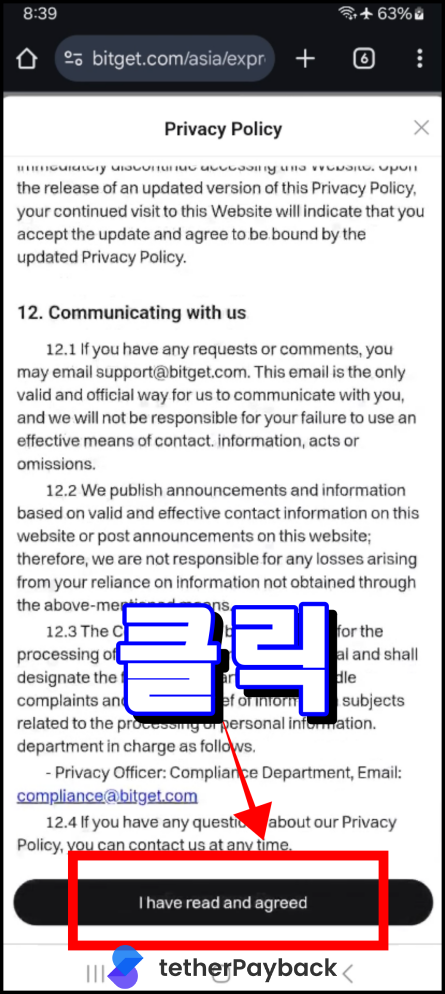
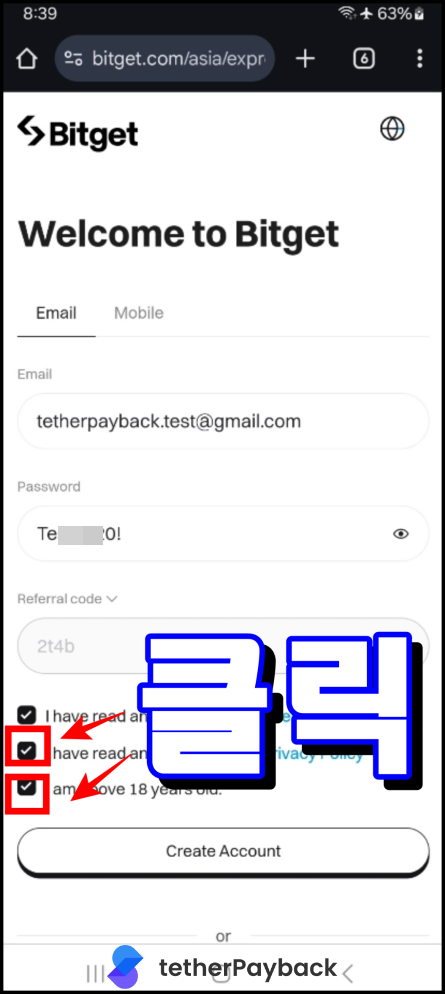
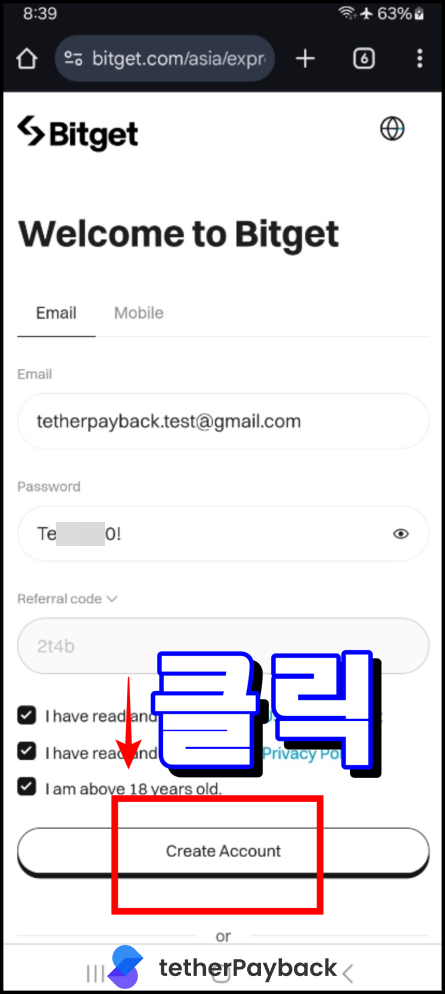
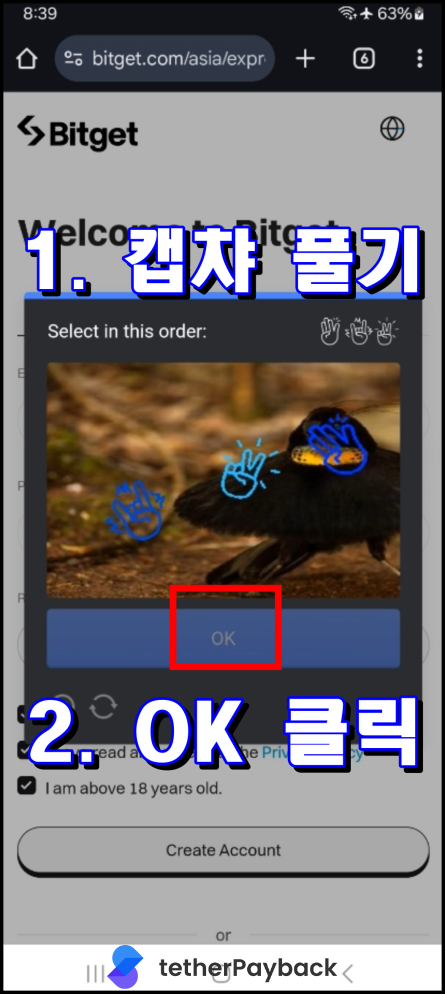
Preparation & Account Creation

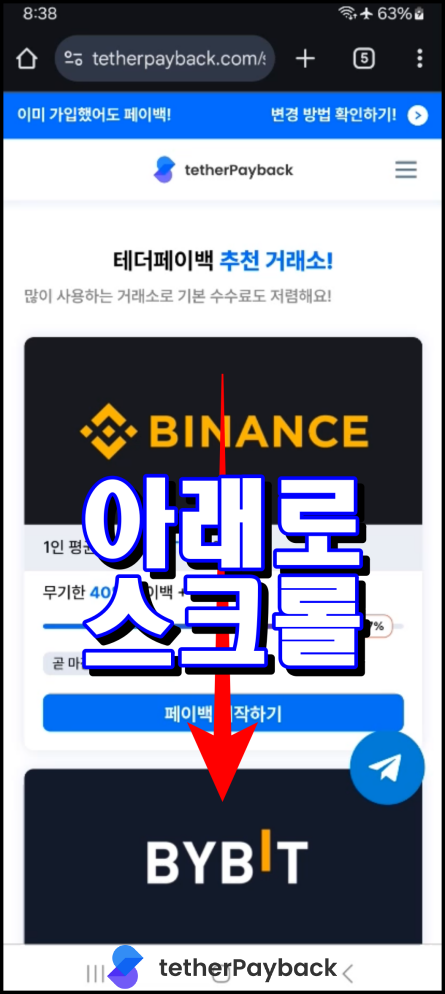
Prepare a new email and ID for KYC verification, then follow the steps below to sign up.
Preparation & Account Creation 1
Preparation & Account Creation 2
Preparation & Account Creation 3
Preparation & Account Creation 4
Preparation & Account Creation 5
Preparation & Account Creation 6
Preparation & Account Creation 7
Preparation & Account Creation 8
Preparation & Account Creation 9
Preparation & Account Creation 10
Preparation & Account Creation 11
Preparation & Account Creation 12
Preparation & Account Creation 13
Preparation & Account Creation 14
Preparation & Account Creation 15
Preparation & Account Creation 16
Preparation & Account Creation 17
Preparation & Account Creation 18
Preparation & Account Creation 19
Preparation & Account Creation 20
Preparation & Account Creation 21
Preparation & Account Creation 22

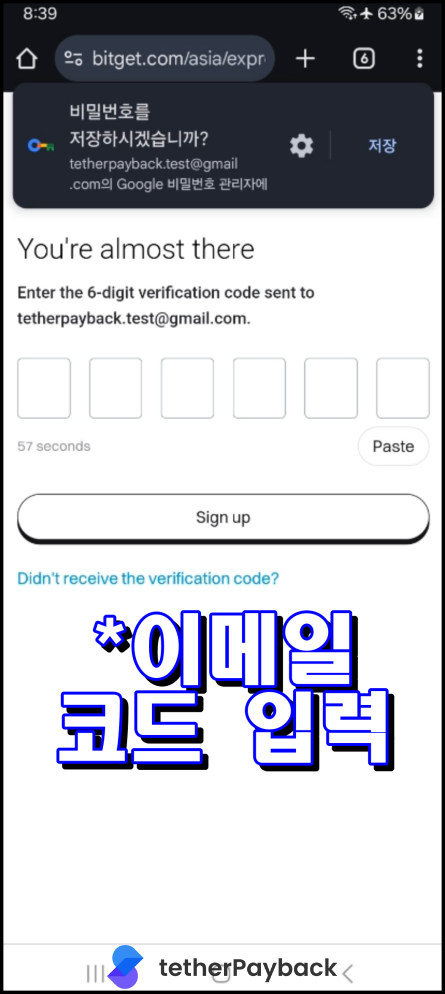
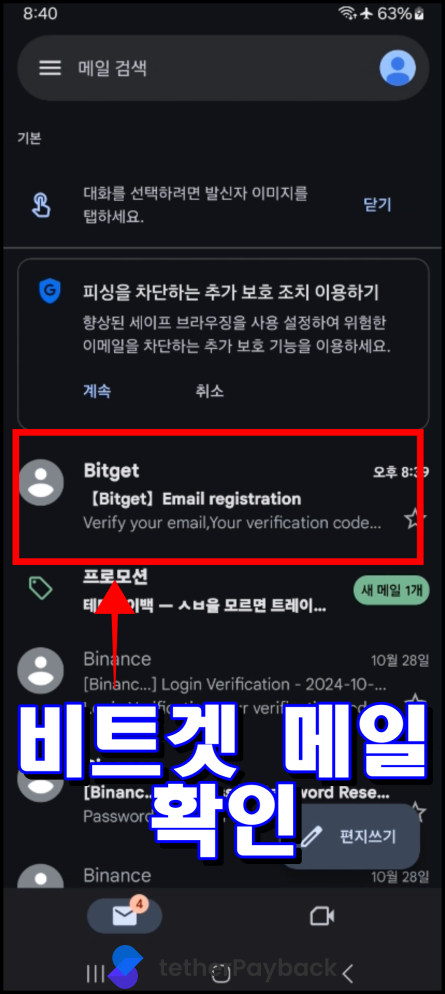
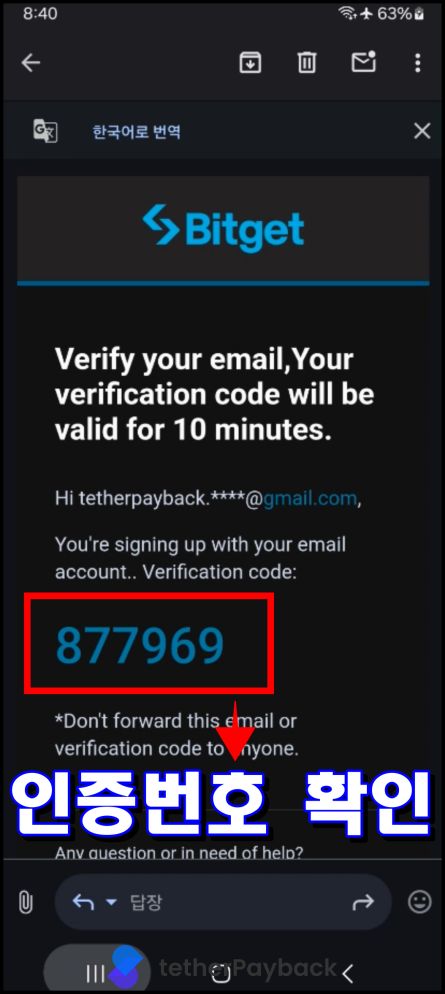
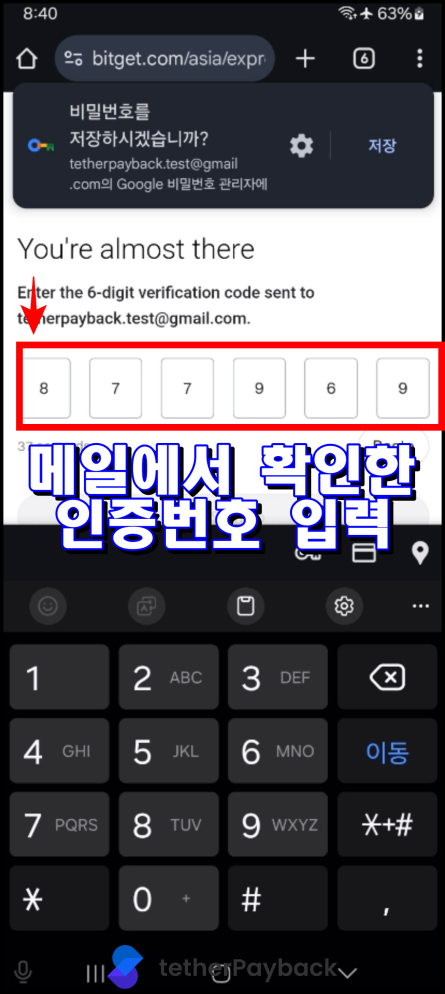
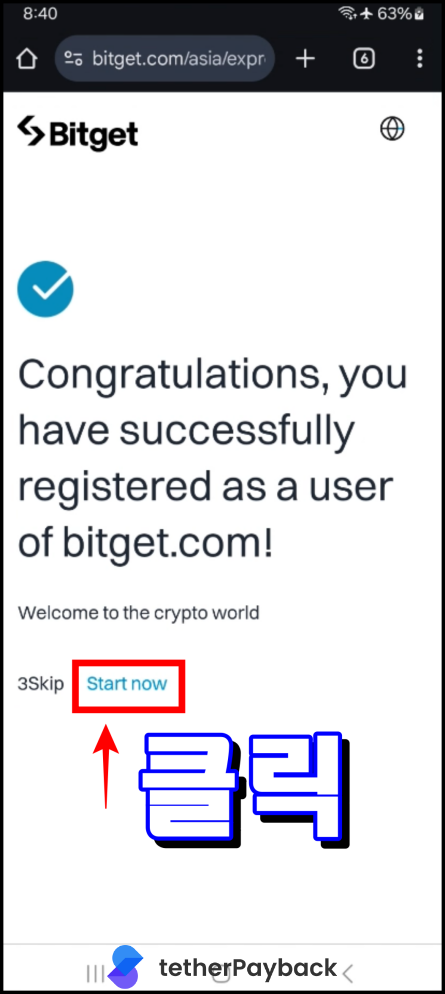
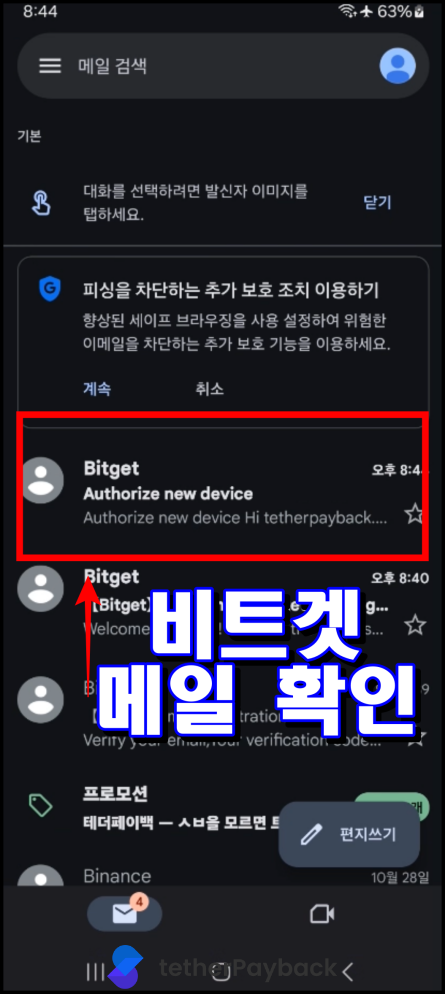
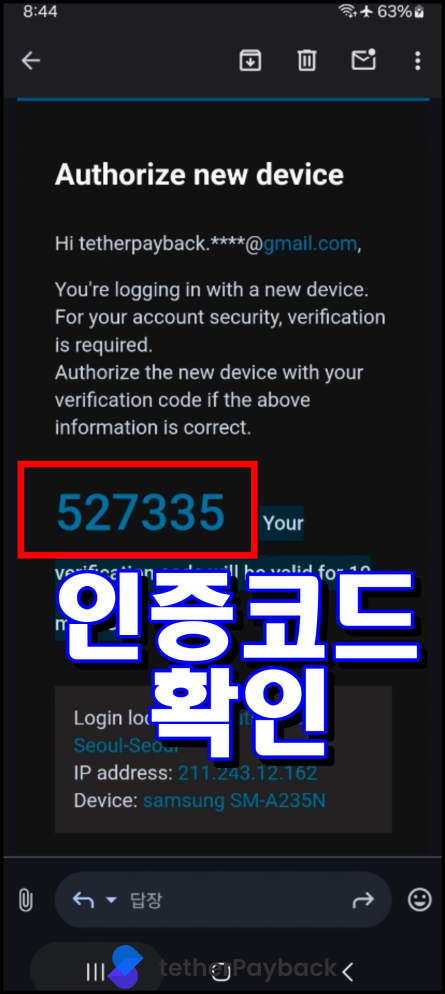
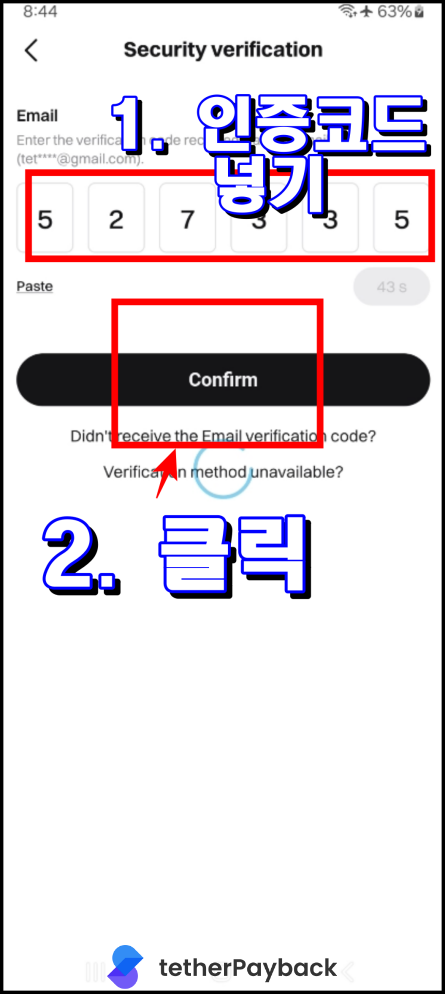
Complete registration by verifying your email!

App Download

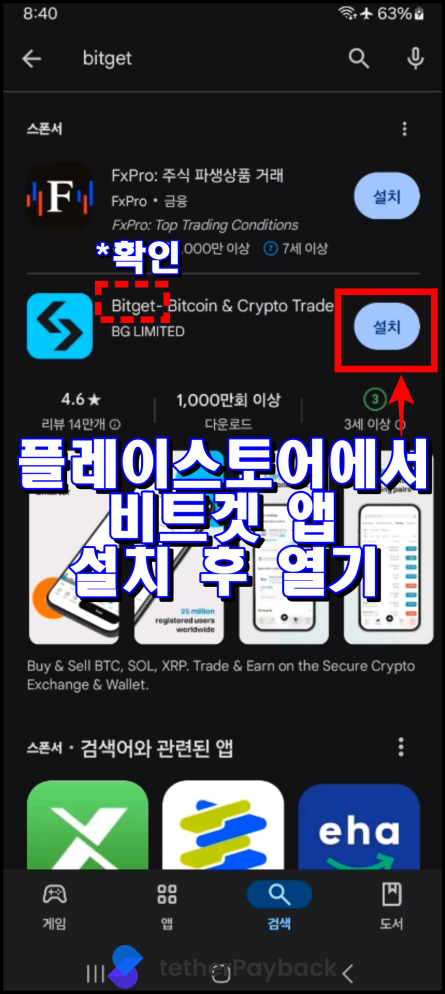
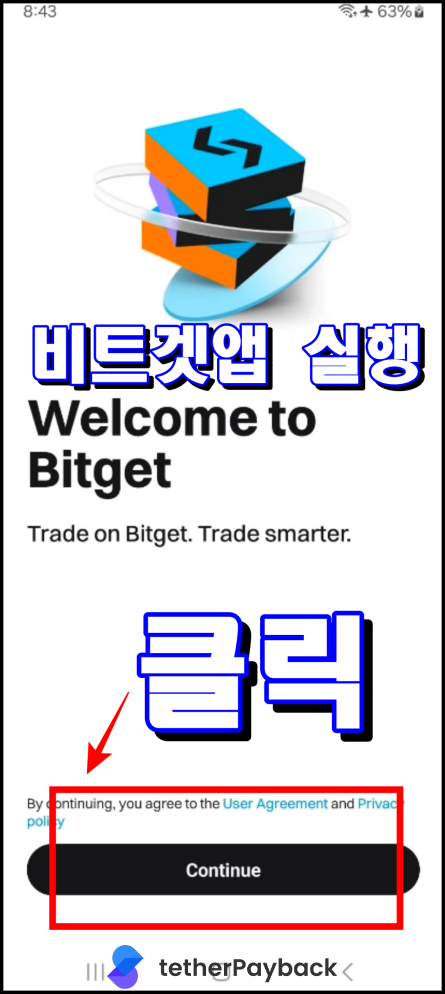
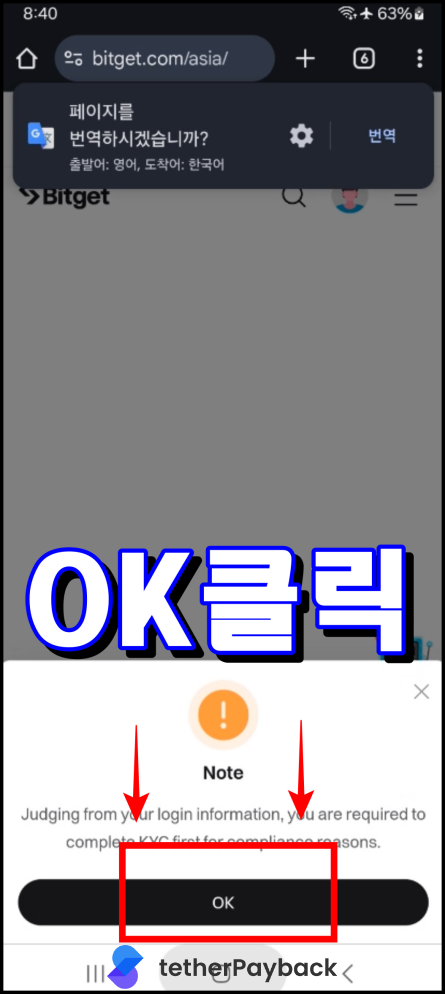
Download the Bitget app.
App Download 1
App Download 2
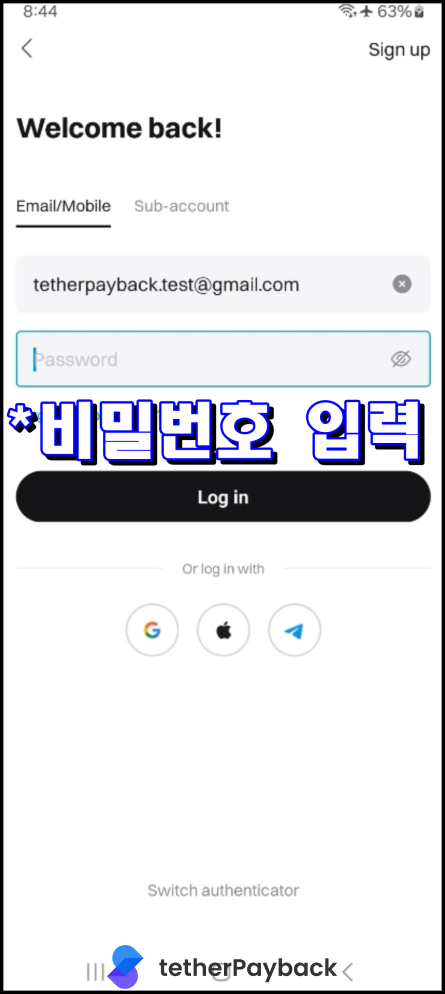
App Download 3

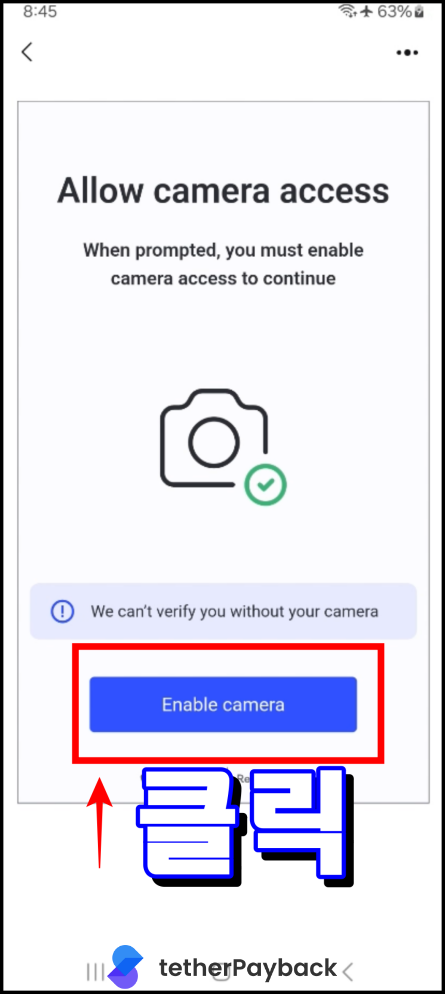
Enter Personal Information and Photo Verification for KYC

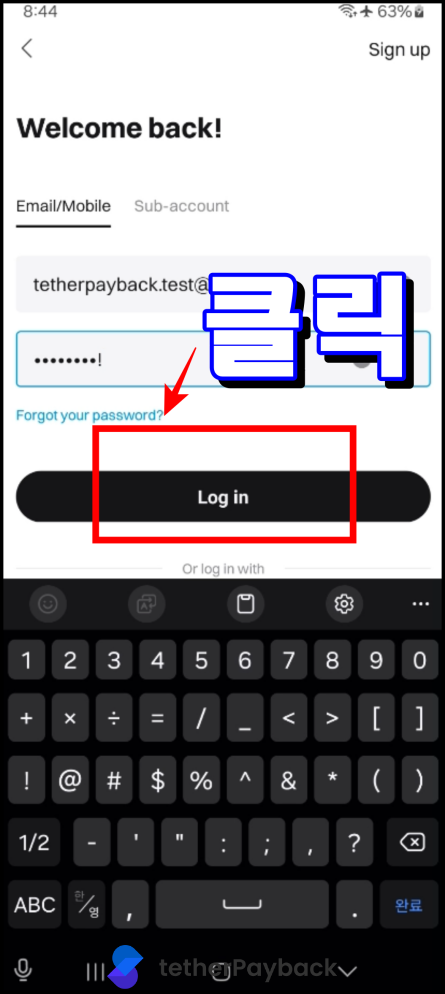
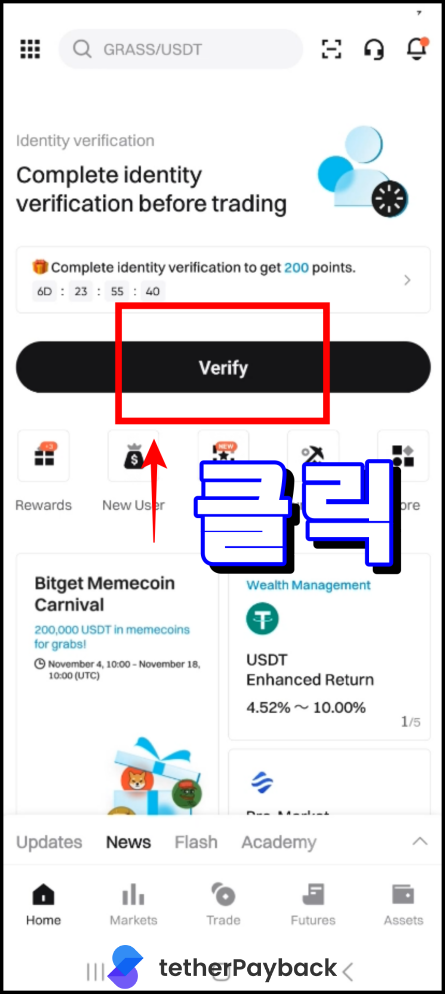
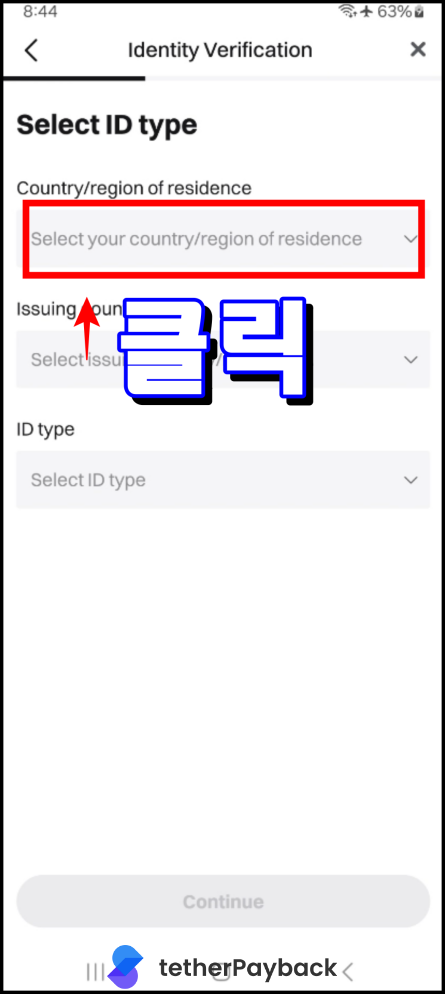
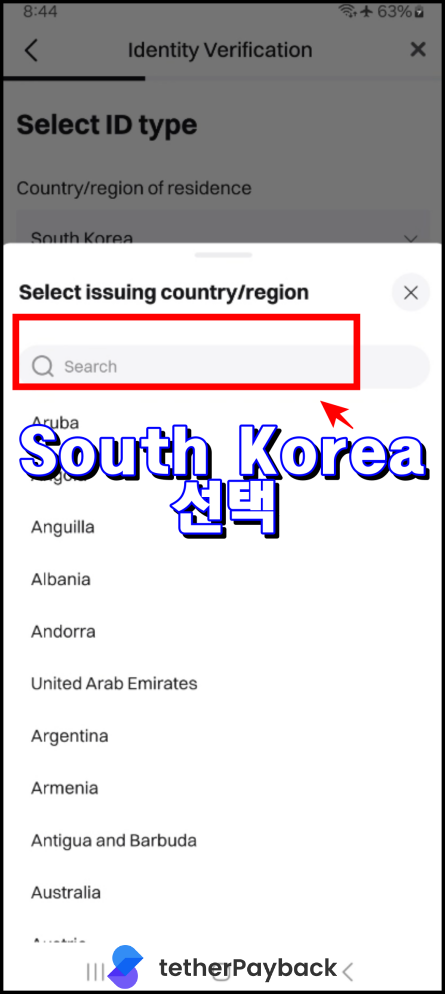
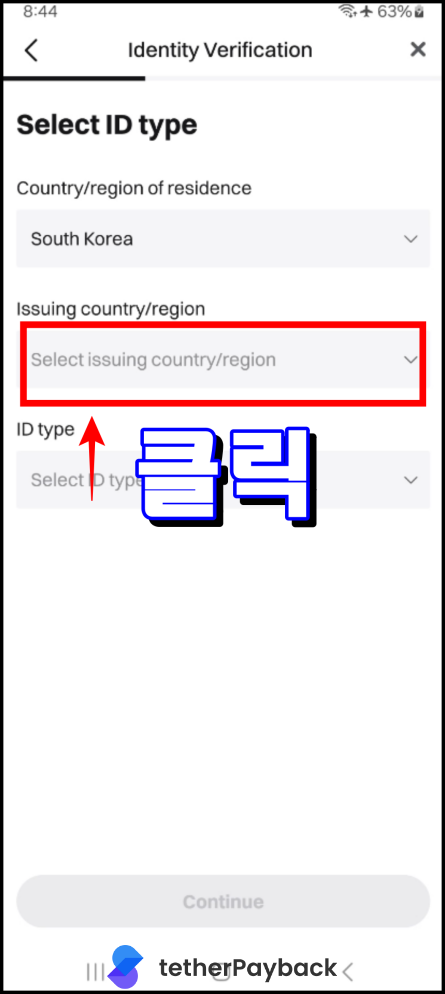
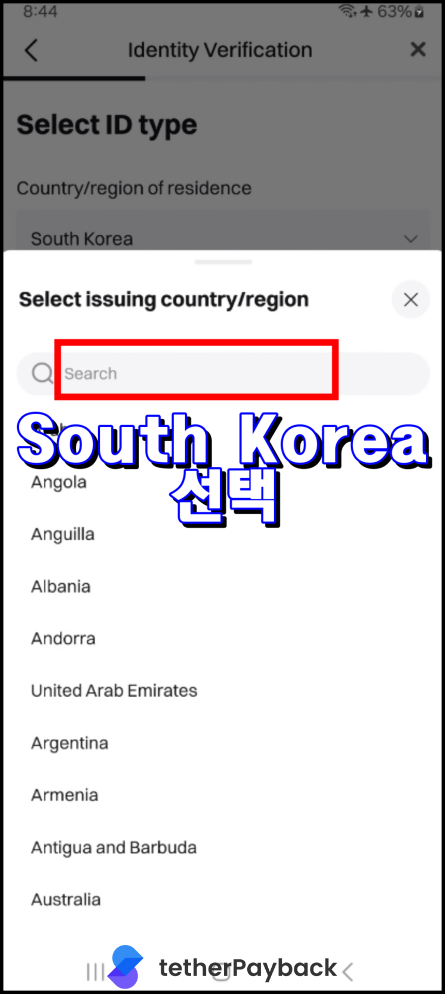
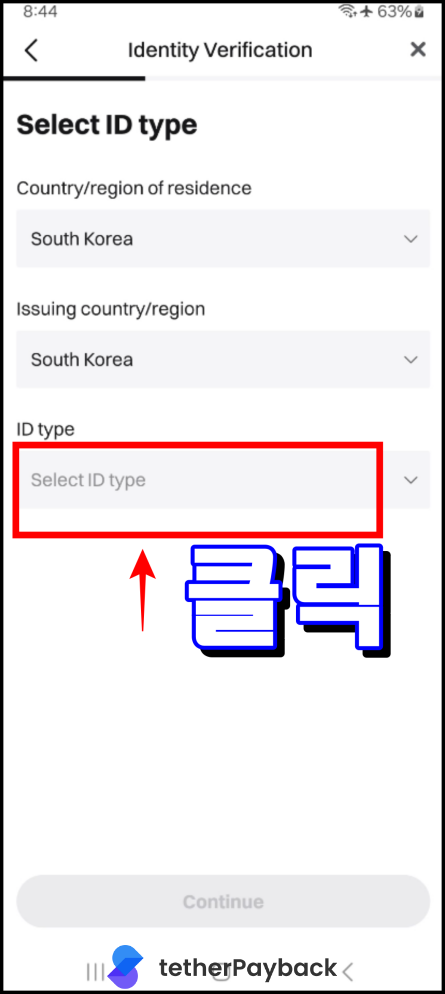
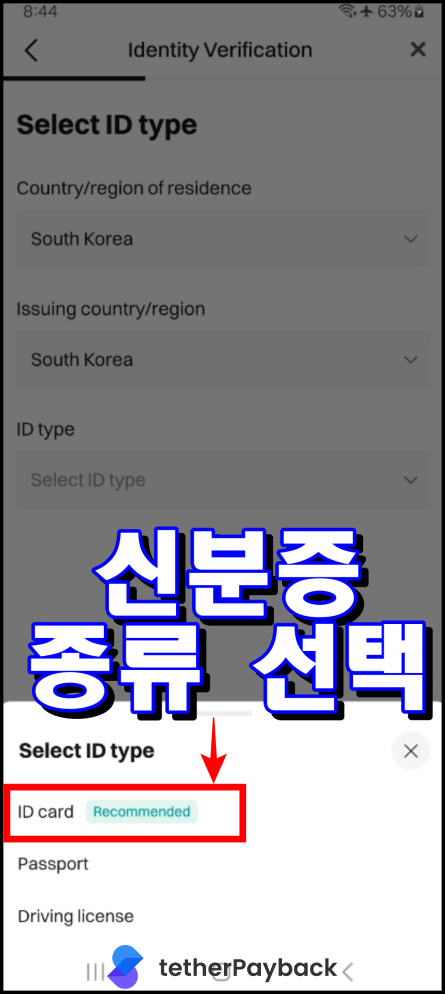
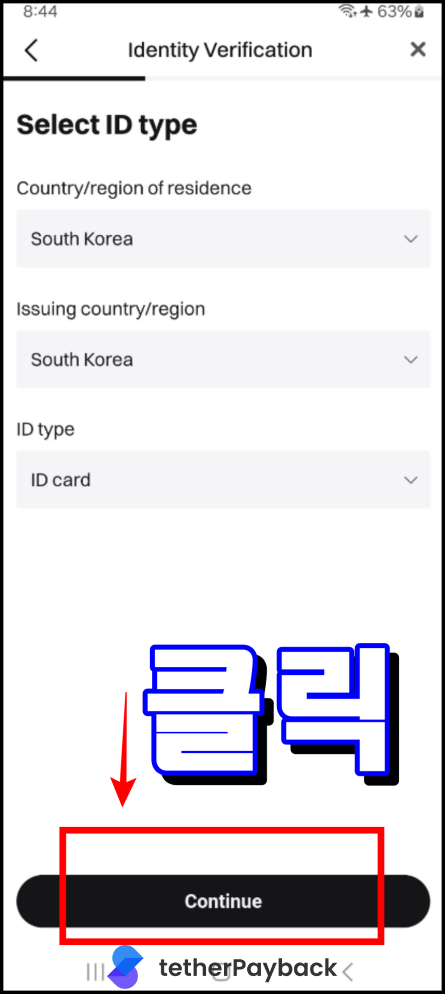
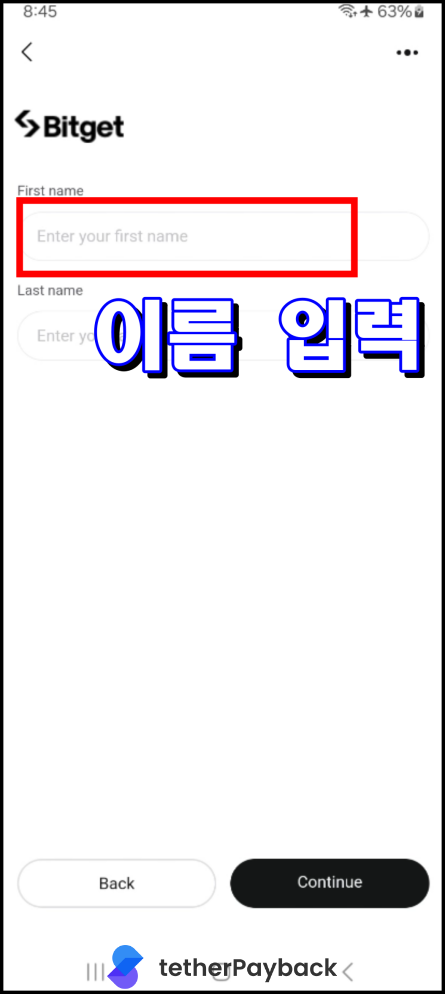
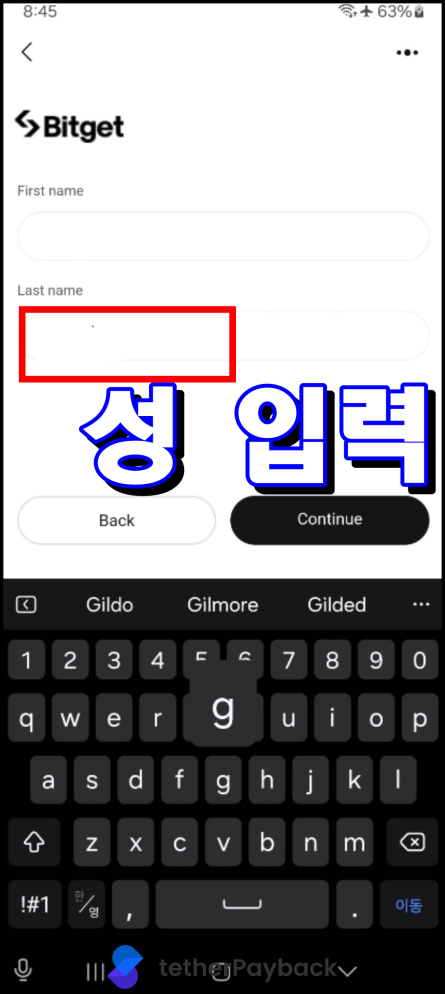
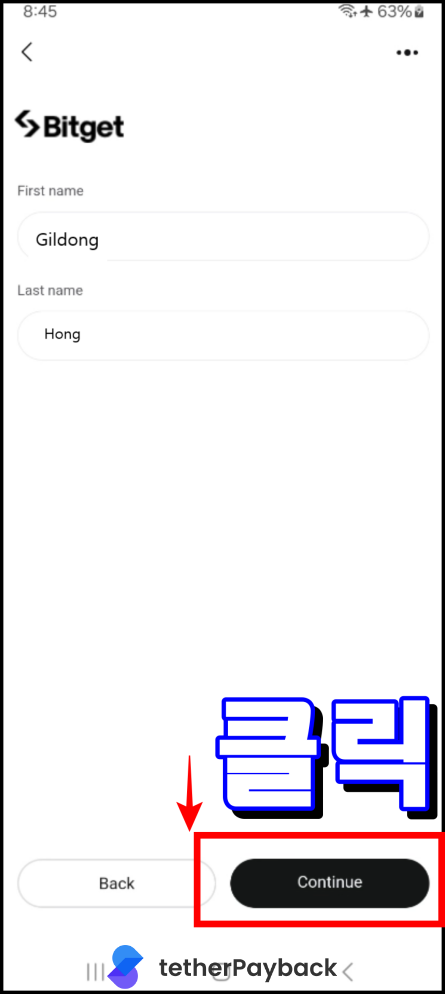
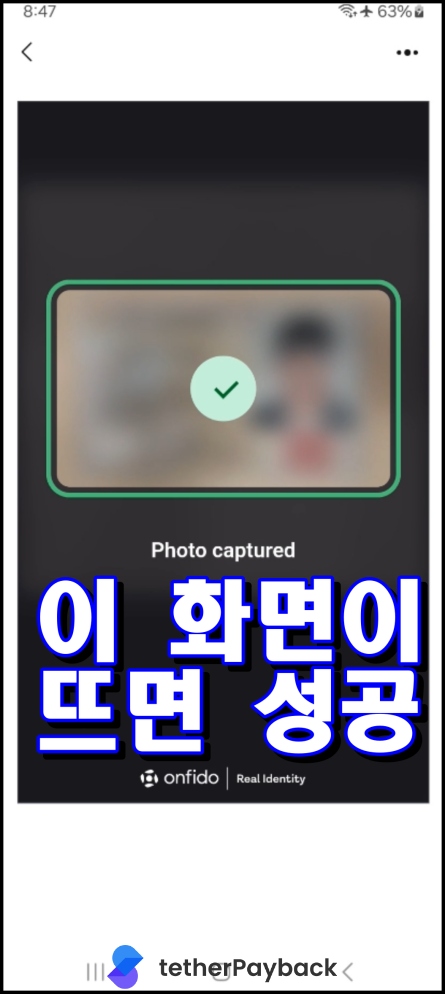
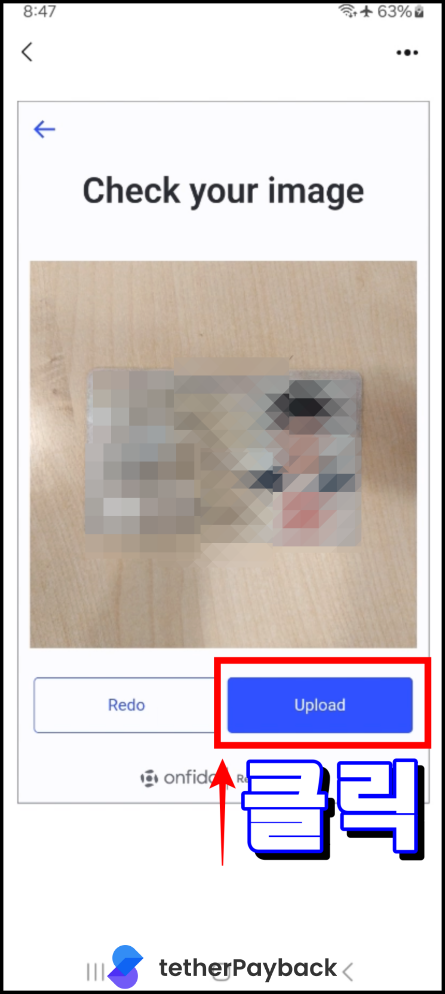
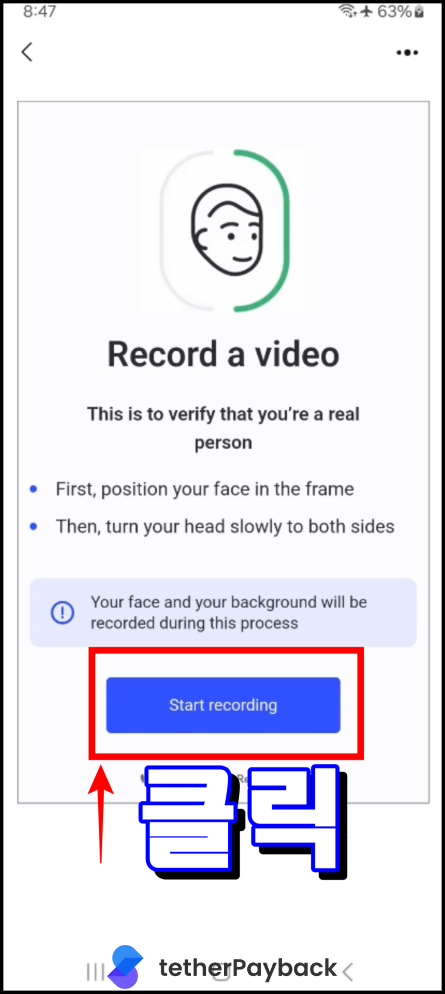
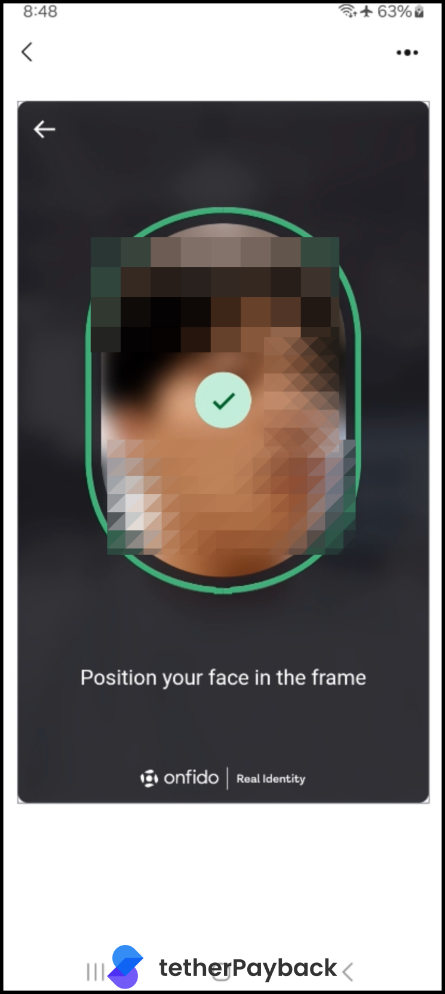
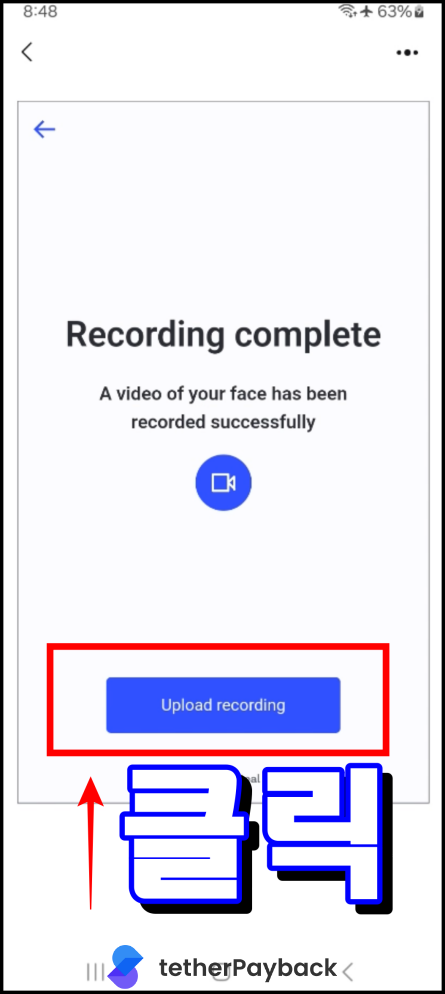
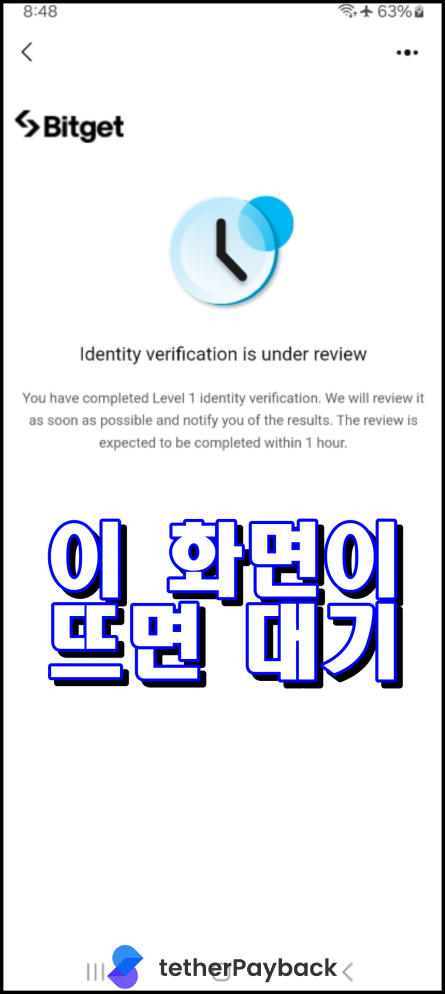
Log in with your registered email (or phone), then proceed with the following steps. First name is your surname, Last name is your given name.

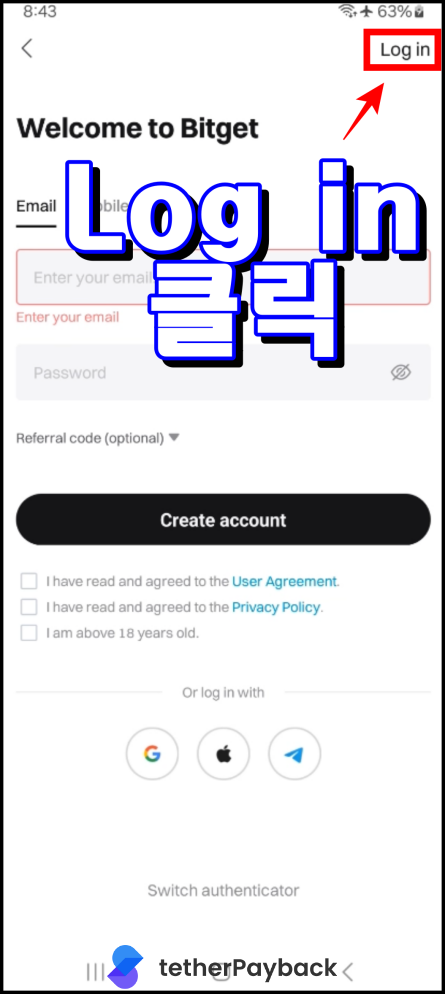
Enter Personal Information and Photo Verification for KYC 1
Enter Personal Information and Photo Verification for KYC 2
Enter Personal Information and Photo Verification for KYC 3
Enter Personal Information and Photo Verification for KYC 4
Enter Personal Information and Photo Verification for KYC 5
Enter Personal Information and Photo Verification for KYC 6
Enter Personal Information and Photo Verification for KYC 7
Enter Personal Information and Photo Verification for KYC 8
Enter Personal Information and Photo Verification for KYC 9
Enter Personal Information and Photo Verification for KYC 10
Enter Personal Information and Photo Verification for KYC 11
Enter Personal Information and Photo Verification for KYC 12
Enter Personal Information and Photo Verification for KYC 13
Enter Personal Information and Photo Verification for KYC 14
Enter Personal Information and Photo Verification for KYC 15
Enter Personal Information and Photo Verification for KYC 16
Enter Personal Information and Photo Verification for KYC 17
Enter Personal Information and Photo Verification for KYC 18
Enter Personal Information and Photo Verification for KYC 19
Enter Personal Information and Photo Verification for KYC 20
Enter Personal Information and Photo Verification for KYC 21
Enter Personal Information and Photo Verification for KYC 22
Enter Personal Information and Photo Verification for KYC 23
Enter Personal Information and Photo Verification for KYC 24
Enter Personal Information and Photo Verification for KYC 25
Enter Personal Information and Photo Verification for KYC 26
Enter Personal Information and Photo Verification for KYC 27
Enter Personal Information and Photo Verification for KYC 28
Enter Personal Information and Photo Verification for KYC 29
Enter Personal Information and Photo Verification for KYC 30

How to create a new account after removing existing Bitget account

TetherPayback

Copyright © 2023

Terms of Service

Privacy Policy

Unregister