Already Registered?
Find Out How to Change!

How to Delete Exchange Account
Here's how to delete your Bitget account. If you're signing up with a different KYC method, you can skip this step.
Delete Existing Bitget Account (1)
Here's how to delete your existing account on the mobile app. Please transfer your assets to another exchange before deletion! Recovery is not possible!
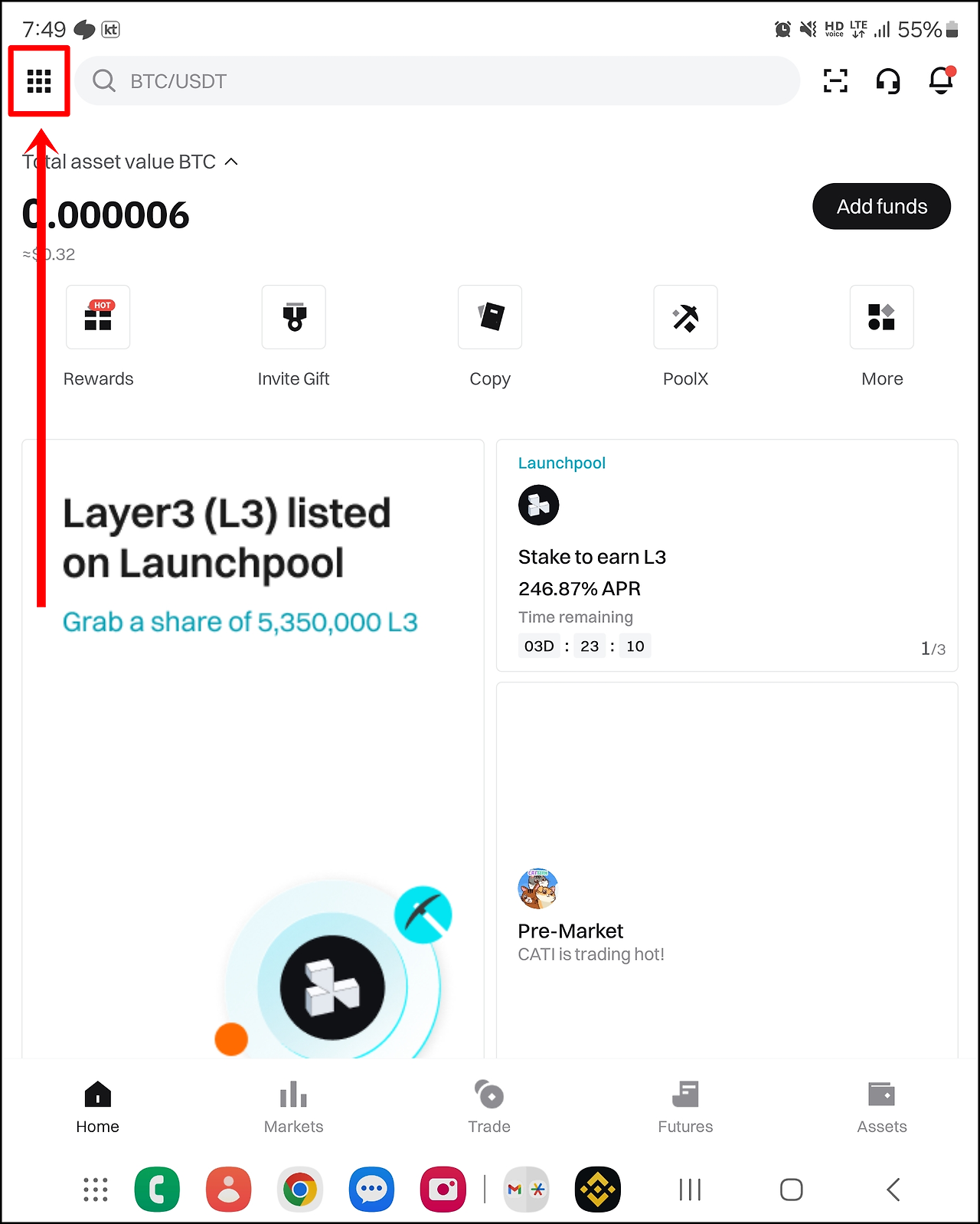
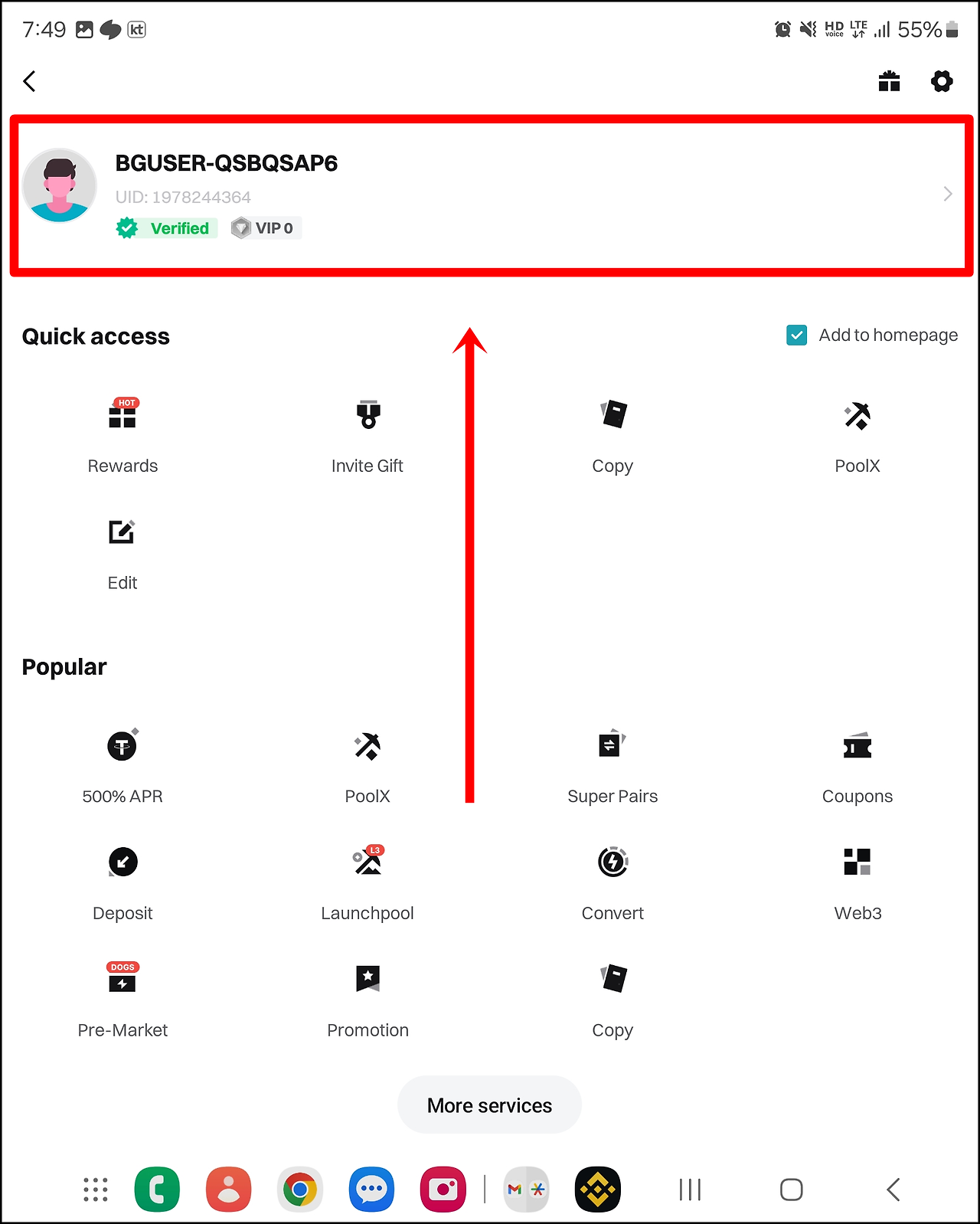
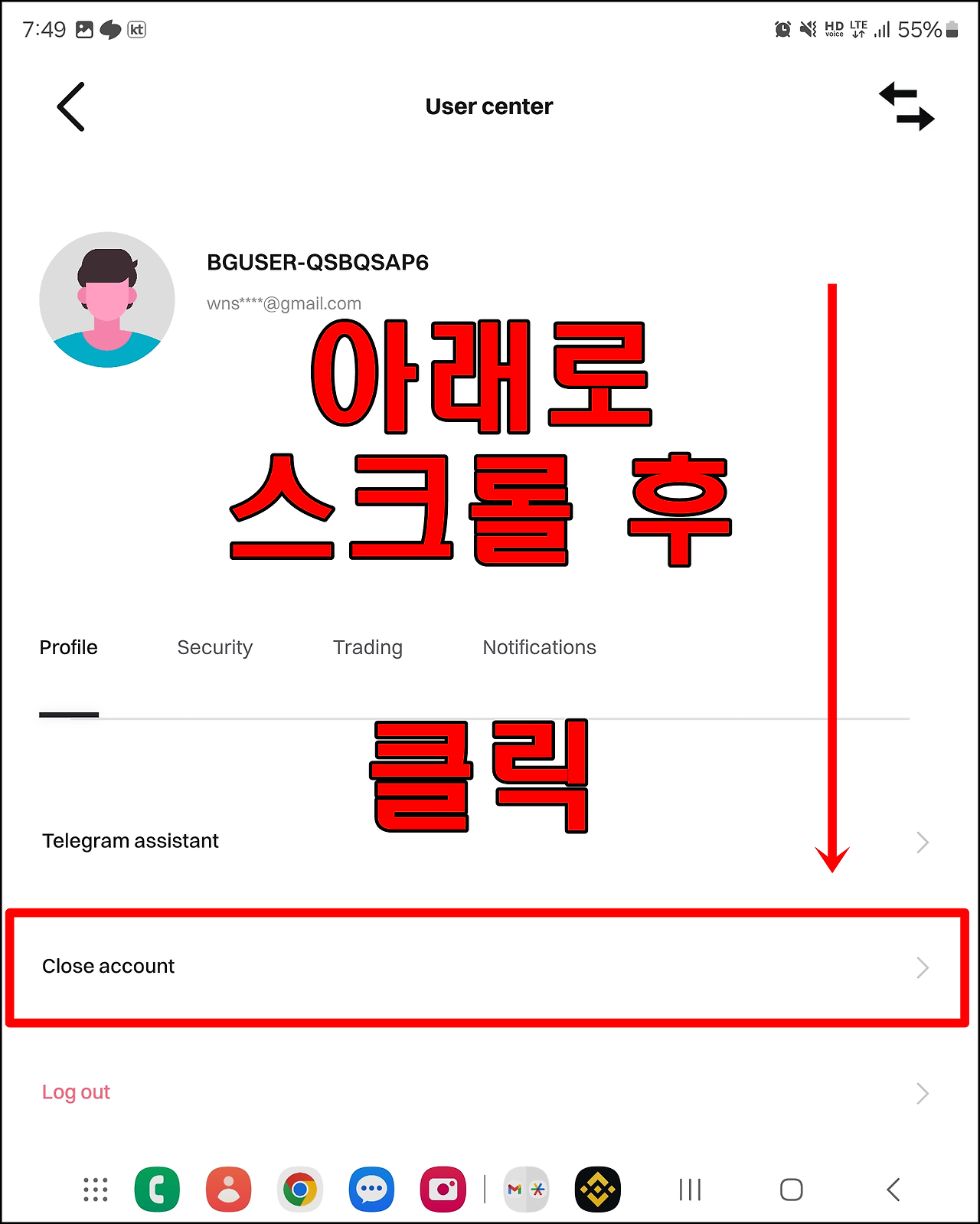
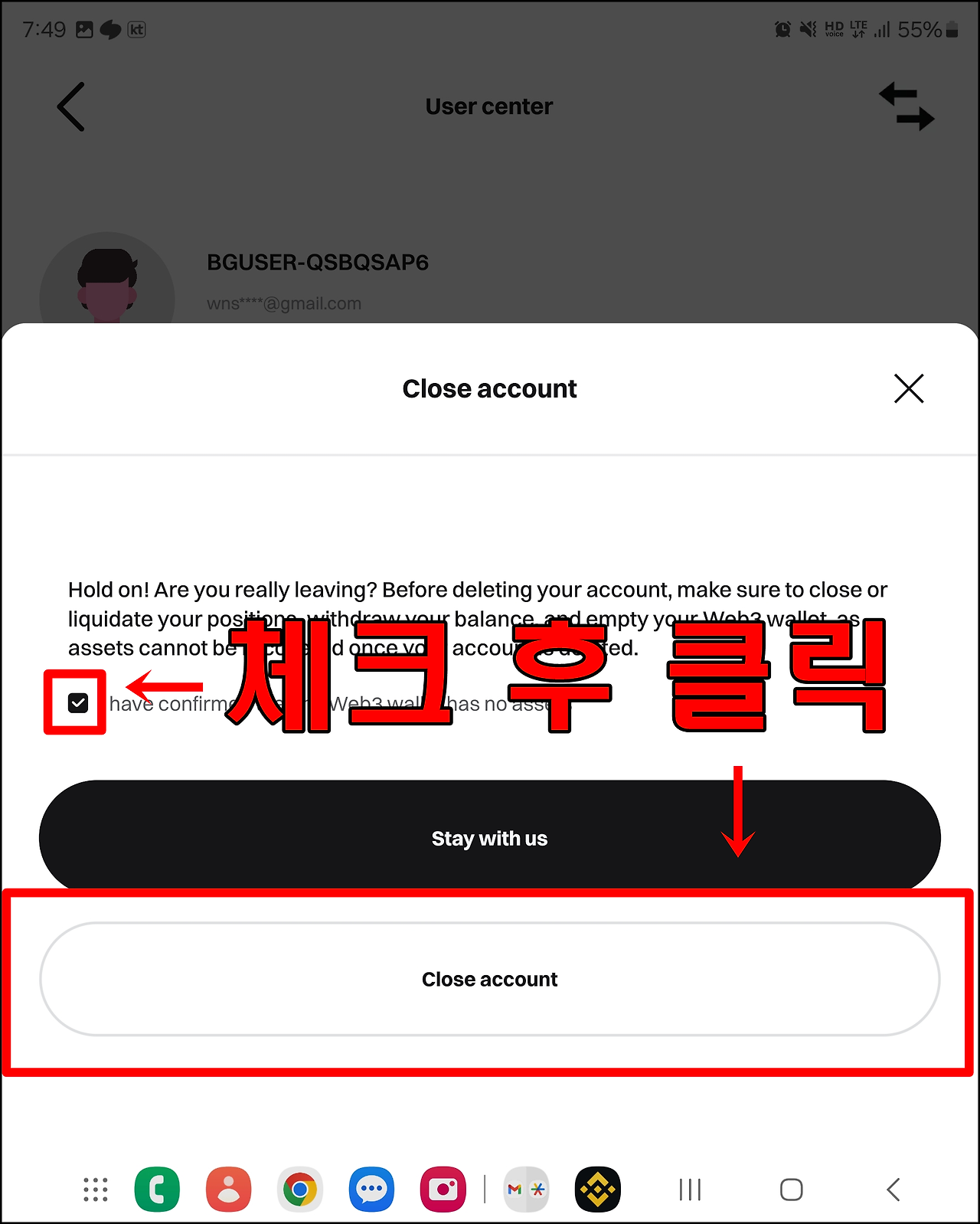
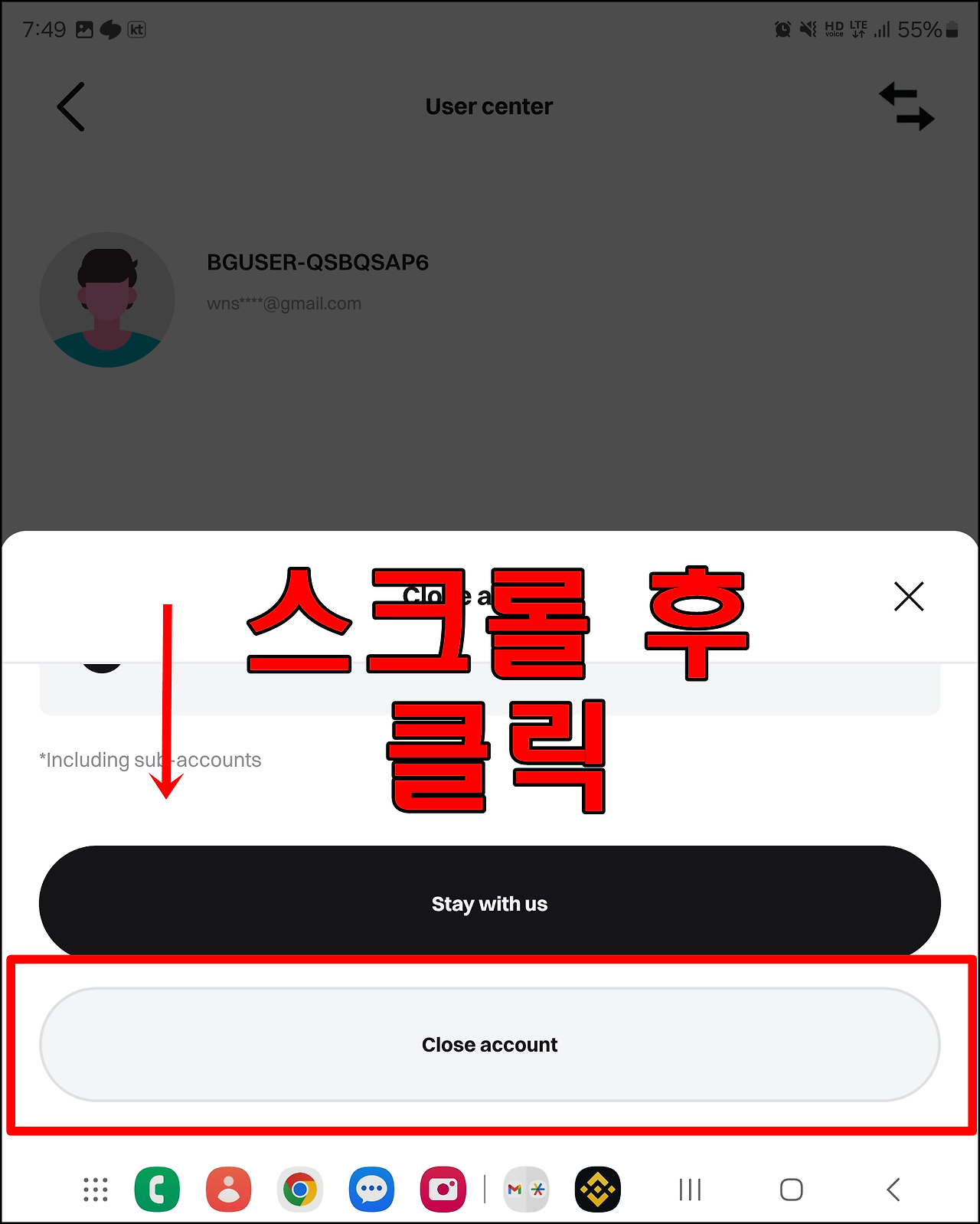
Please transfer your assets to another exchange before deletion! Recovery is not possible.
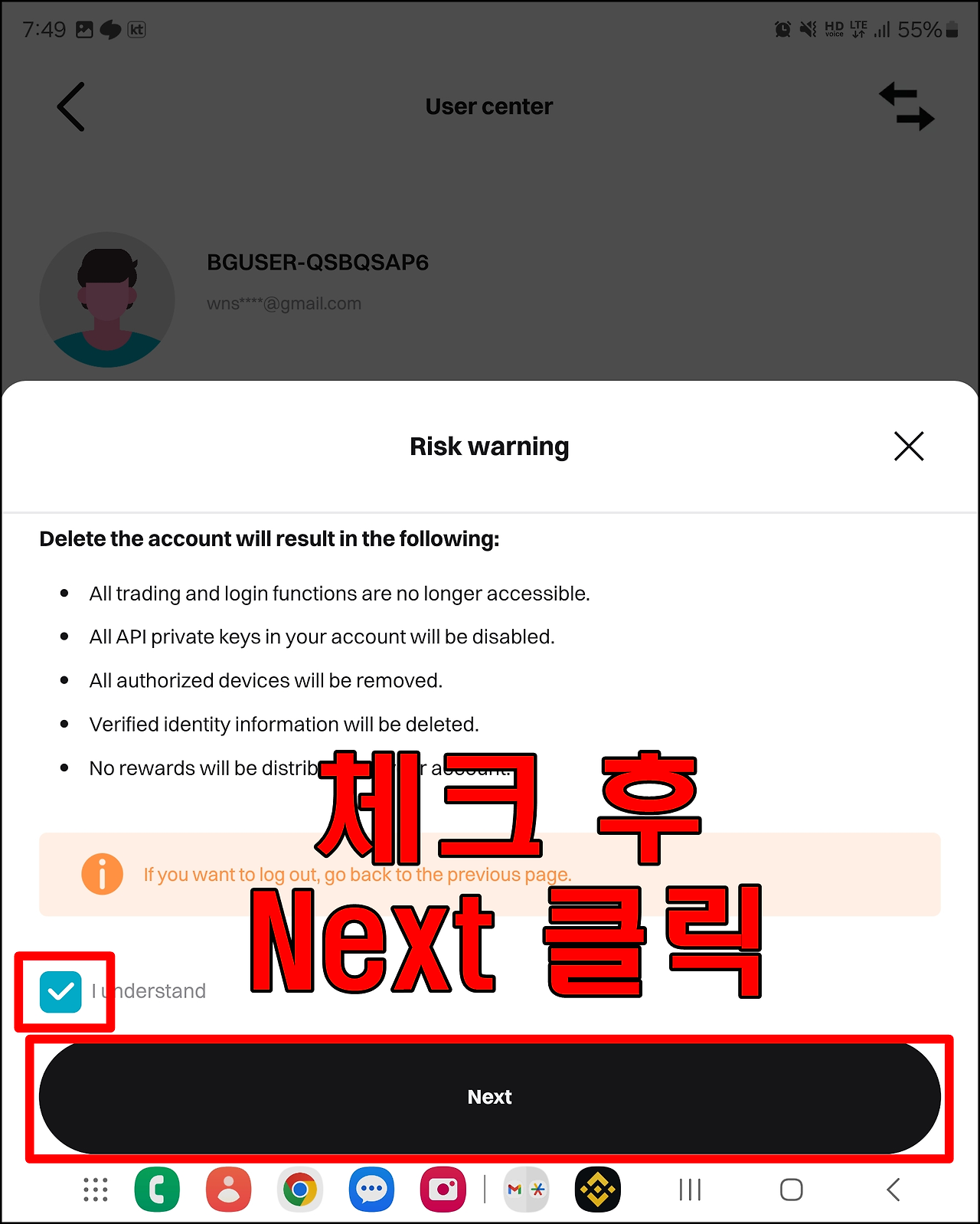
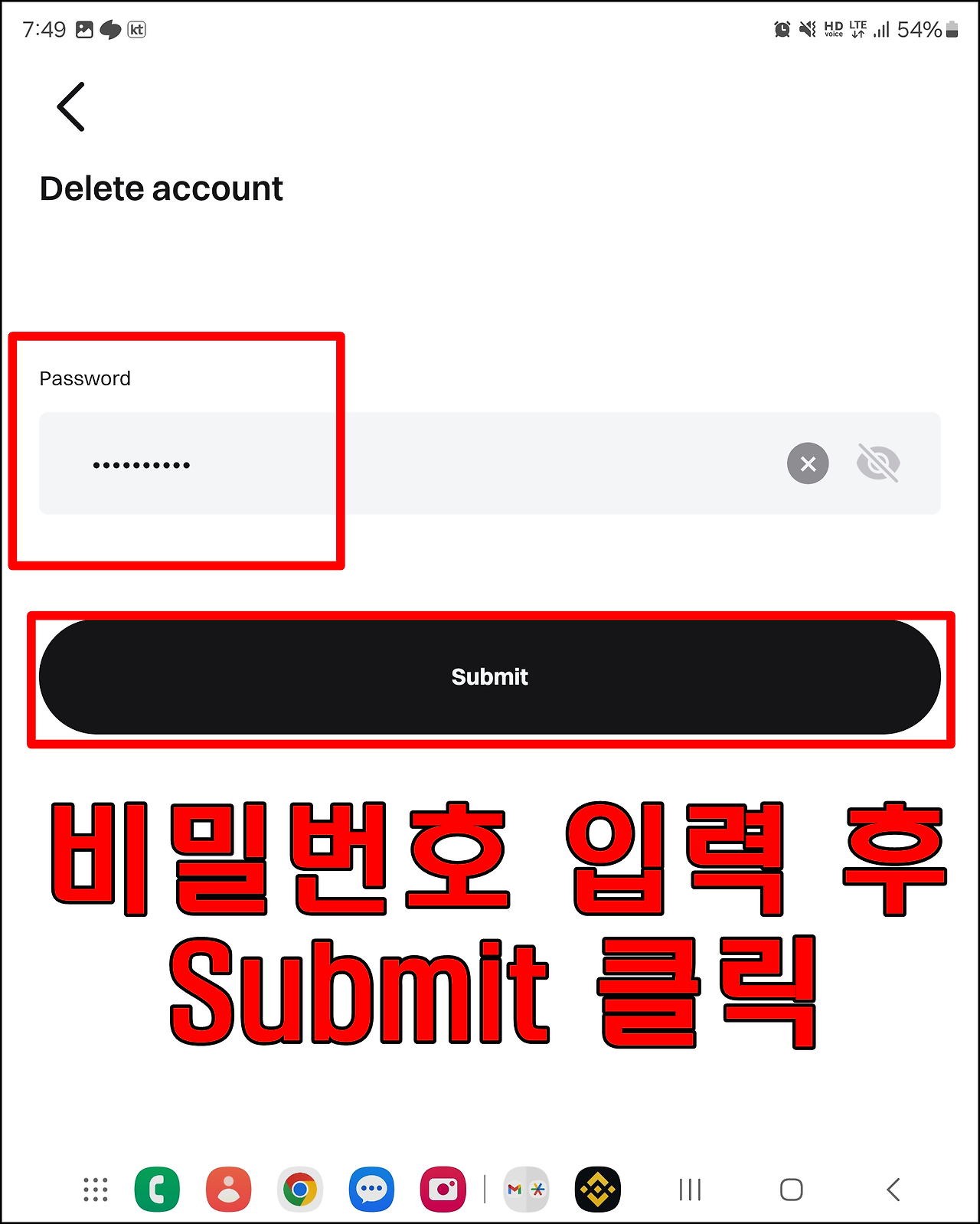
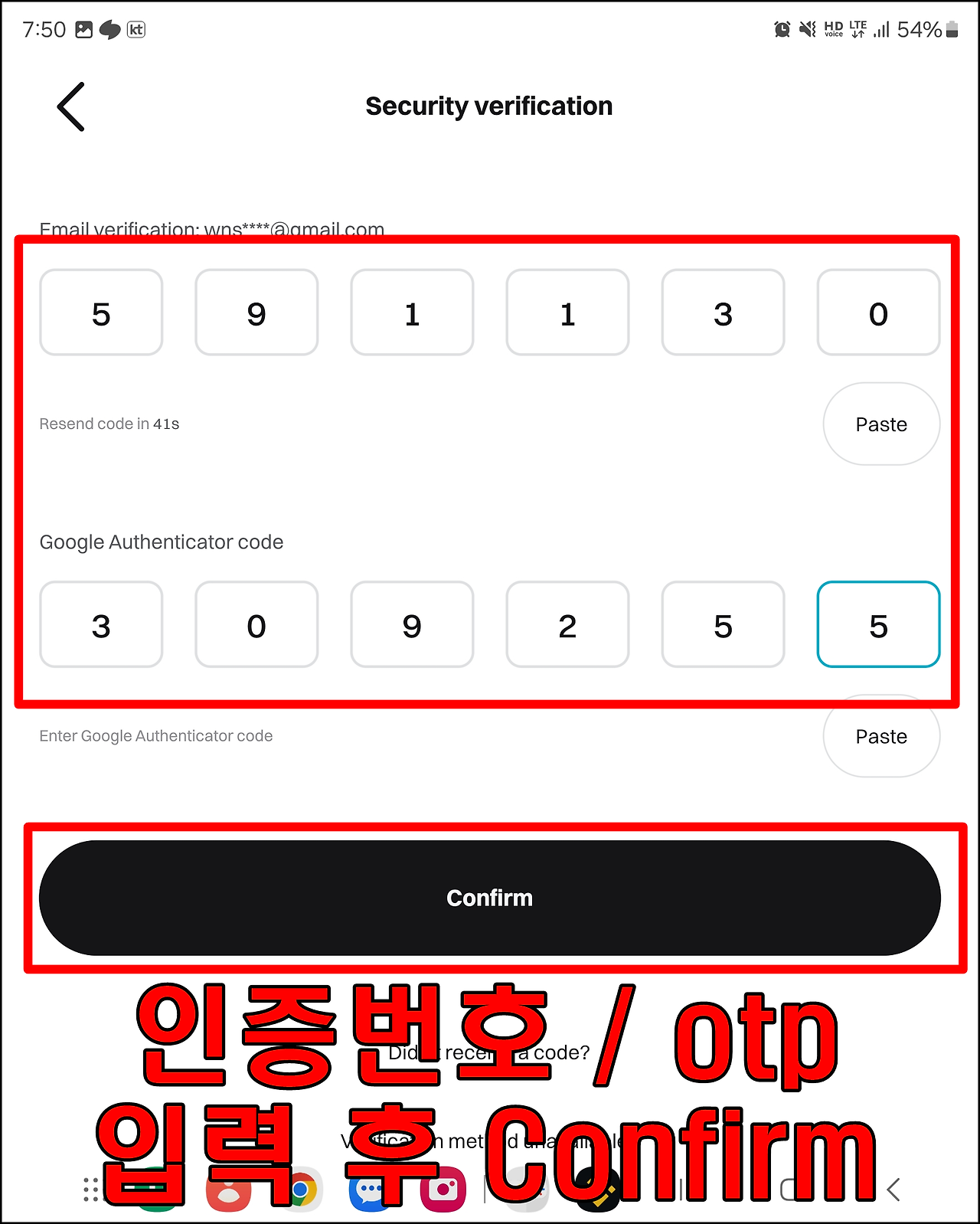
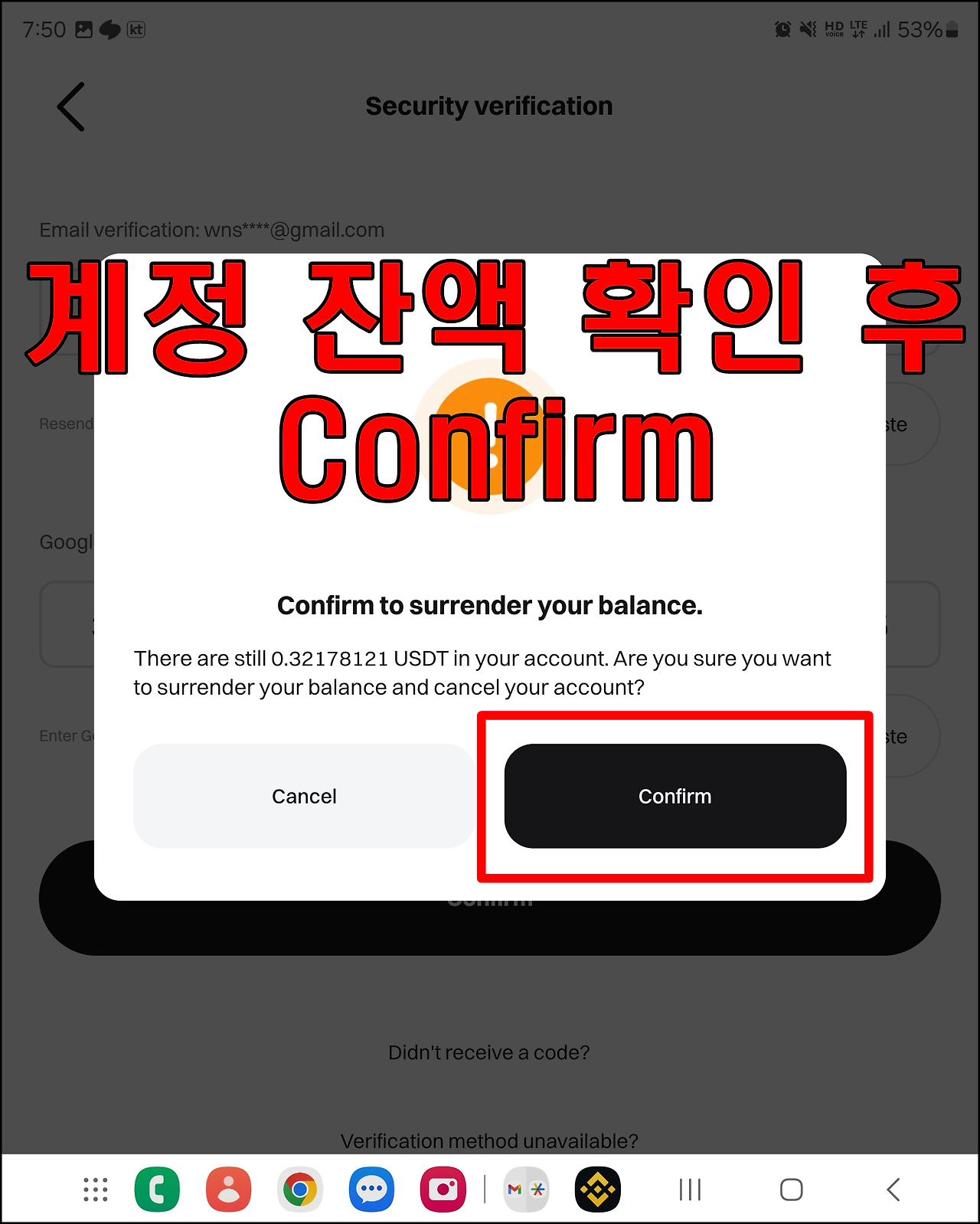
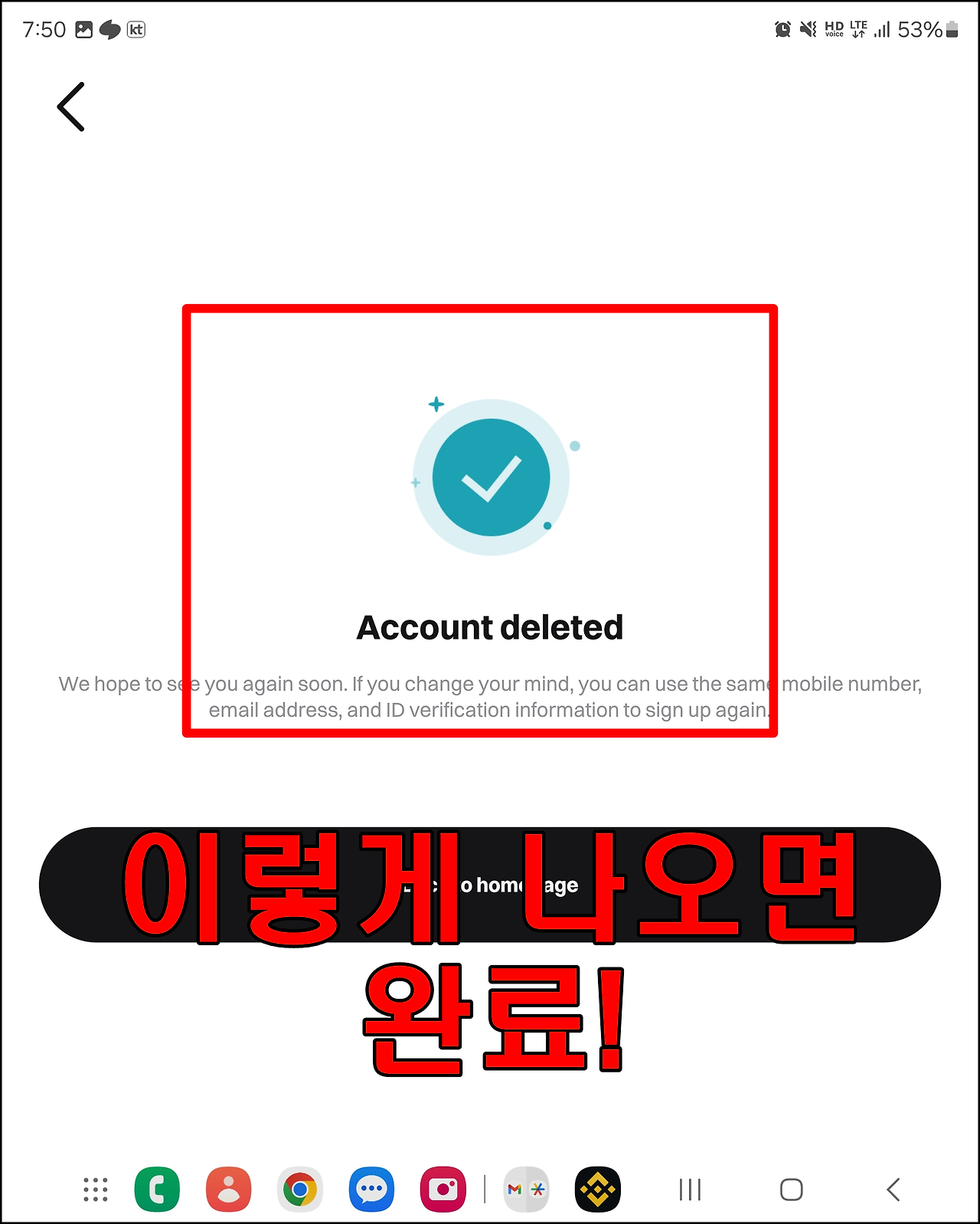
Delete Existing Bitget Account (2)
This is a final confirmation step before deletion. Please make sure to transfer any assets beforehand.
How to create a new account after removing existing Bitget account